Tonight's picks
HY300 · wired phone mirroring · 2-year warranty

HOLEPLUS HY300

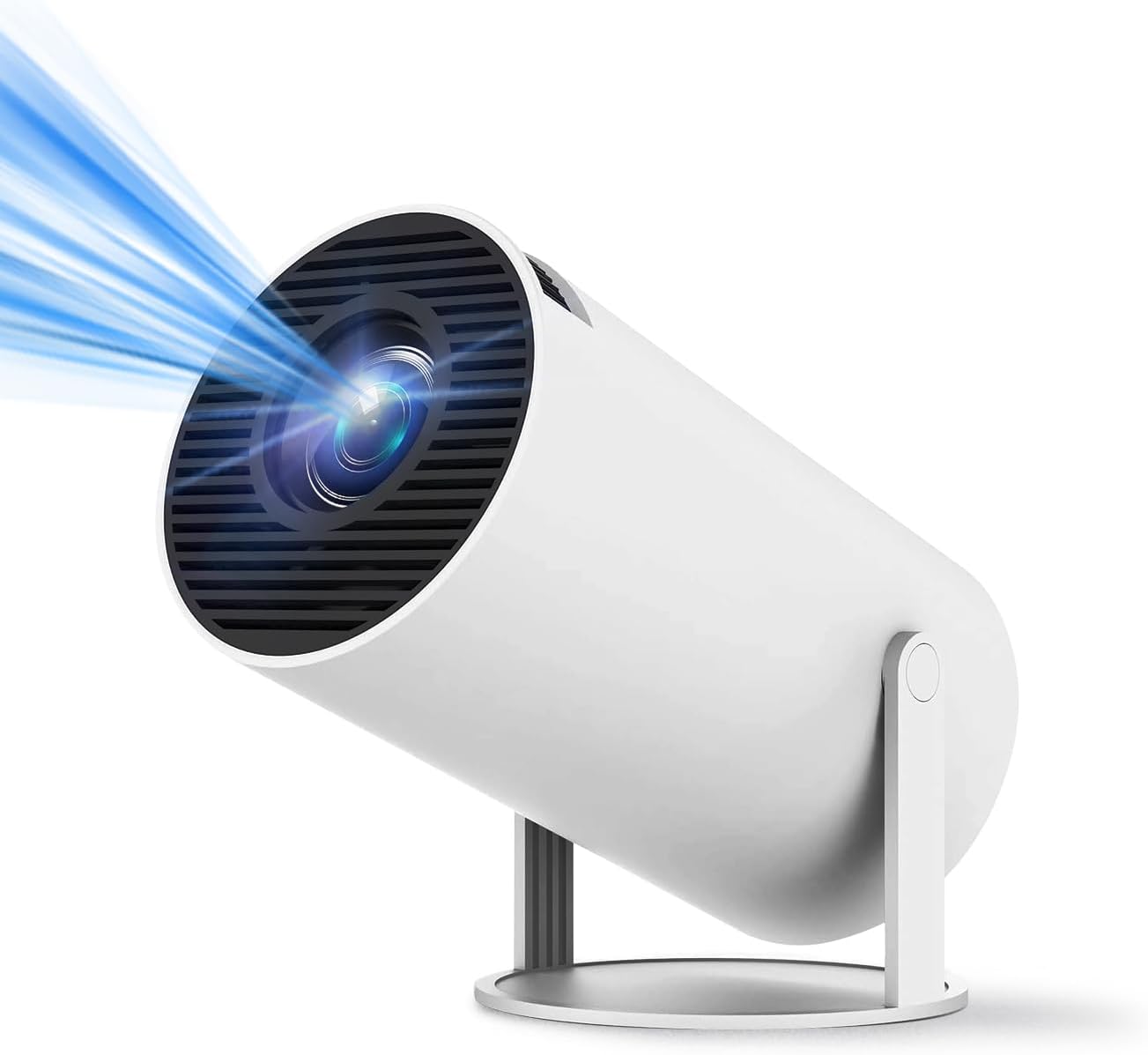
HOLEPLUS builds its HY300 around the phone in your pocket: wired or Wi-Fi 6 mirroring, a built-in media player for USB films and 160 ANSI lumens on a 180° stand.

  • MirroringWired from a phone, or over Wi-Fi 6
  • Light160 ANSI lumens (±5%), 1500:1
  • PictureNative 1280 × 720, 40–130 in
  • PlaybackBuilt-in media player, H.264 and H.265
  • Warranty2 years
Perfect for
  • Films and photos straight from a phone
  • USB drives full of downloaded films
  • Bedroom and ceiling screenings after dark
  • Owners who want a two-year warranty
Look past it if
  • Buyers who want an app store on the projector
  • Rooms with daylight or lamps on
  • Focus from the remote rather than by hand
Start the show

HOLEPLUS HY300 with a phone on a cable

Most HY300s lead with the apps they run. The HOLEPLUS leads with the phone: its name promises wired screen mirroring, and Wi-Fi 6 carries the same job without the cable. HOLEPLUS does not name an Android version or an app store, so think of it as a big screen for what your phone, laptop or USB stick already holds.

What the HOLEPLUS brings to the room:

  • Phone mirroring by cable or over dual-band Wi-Fi 6.
  • A built-in media player for H.264 and H.265 files from USB.
  • 160 ANSI lumens, rated within ±5%, with a 1500:1 contrast ratio.
  • Auto keystone and manual focus for a square, sharp frame.
  • A 180° stand that swings the lens from wall to ceiling.
  • Bluetooth 5.0 for speakers and headphones.

HOLEPLUS uses the family's native 1280 × 720 panel, which accepts signals up to 4096 × 2160 and scales them down. HOLEPLUS lists Chaoying Photoelectric as the manufacturer and backs the projector with a two-year warranty, double the usual year.

Which cable for wired mirroring? HOLEPLUS does not spell out the lead. The dependable wired route into any HY300 is HDMI: phones that output video over USB-C need a USB-C to HDMI adapter, and iPhones with a Lightning port use Apple's Lightning Digital AV Adapter. Check that your phone supports video out before buying a cable.

The appeal is simplicity. A phone already signed in to every streaming service skips the projector-side logins, although some apps block mirrored video, a limit covered in the phone connection guide.

A cable also sidesteps busy Wi-Fi. In a flat full of streaming neighbours, a wired phone keeps the picture steady when wireless mirroring starts to stutter.
Tech sheet

Lens, light and ports

SpecValue
ModelHOLEPLUS HY300
ManufacturerChaoying Photoelectric
Light sourceLED
Native resolution1280 × 720
Maximum input4096 × 2160
Brightness160 ANSI lumens (±5%)
Contrast1500:1
FocusManual
KeystoneAutomatic
Stand180° rotating
Picture size40–130 in
Phone mirroringWired, plus wireless over Wi-Fi
Wi-FiWi-Fi 6, dual-band 2.4 GHz and 5 GHz
Bluetooth5.0 for speakers and headphones
PortsHDMI, USB
Video decodingH.264, H.265
PlaybackBuilt-in media player
SpeakerBuilt-in surround speaker
In the boxProjector, power cord, remote, user manual
Warranty2 years

160 ANSI on a 40 to 130-inch wall after sunset

HOLEPLUS rates the picture from 40 to 130 inches and pitches the brightness for low-light rooms. That pairing tells you how to use it: the lower half of the range, in a room you can darken, is where the colours stay rich.

ScenePictureHow 160 lumens holds up
Ceiling film from bed50–60 inBright and comfortable
Bedroom wall, blackout blind60–80 inGood for a full film
Living room, curtains closed80–100 inFine for bright films, flatter in dark scenes
Garden sheet after full dark100–130 inCartoons and sport rather than moody thrillers

Light spreads over area, so doubling the picture width leaves each part of the picture a quarter as bright. That is why an 80-inch picture from the HOLEPLUS looks livelier than a 130-inch one, even in the same dark room.

Small changes stretch those 160 lumens further:

  • Project onto a smooth white wall or a matte screen rather than cream or textured paint.
  • Close doors to lit hallways; a strip of light under the door shows on dark scenes.
  • Pick the brightest picture mode for sport and cartoons, and a warmer one for films.
  • Keep the lens level with the bottom of the picture when you can, so the keystone does less digital squaring.

On a ceiling, the picture lands straight above the lens, so the height of the ceiling over the nightstand sets the size rather than the room length. For distances by picture size, see the screen size guide. For menu settings that lift brightness, the brightness guide goes mode by mode.

On the HY300 shelf

Where it plays in the range

HY300 projector models by type, September 2026. Highlighted: HOLEPLUS HY300.

USB films, H.265 files and the built-in player

With no app store named, the HOLEPLUS leans on three sources: a phone, a USB stick and anything that plugs into HDMI. Each fits its own sort of evening, and a quick setup routine keeps the first film from starting late.

  1. Plug in the power cord, swing the stand to your wall and let the auto keystone square the frame.
  2. Turn the manual focus until the menu text is sharp at the edges as well as the centre.
  3. Join your Wi-Fi if you plan to mirror wirelessly, choosing 5 GHz near the router and 2.4 GHz for longer reach.
  4. Pair a Bluetooth speaker or headphones if the built-in speaker is too quiet for the room.
  5. Insert a USB stick or connect HDMI, then pick the source from the remote.

The built-in media player handles H.264 and H.265, the formats most phones, cameras and downloaded films use. H.265, also called HEVC, packs the same picture into smaller files, useful when a whole film series has to fit on one stick.

Matching the source to the evening:

  • USB stick: the smoothest option for a planned film; nothing depends on Wi-Fi.
  • Phone mirroring: quick for holiday photos, short clips and a video call.
  • HDMI: a TV stick adds the apps the projector lacks, and a laptop or console plugs in directly.

If a file refuses to play, re-save it in H.264 on a computer or try another stick formatted as FAT32 or exFAT. For stubborn problems, the HY300 fixes page covers HDMI, power and Wi-Fi faults.

Also showing

Three other projectors

2 ear&ear HY300
Apps built in ear&ear HY300
ear&ear's HY300 matches 160 ANSI and adds Android 11 streaming apps
  • HY300 · Android 11
  • Wi-Fi 6 + Bluetooth 5.0
  • Manual focus, auto keystone
Start the show

HOLEPLUS or an HY300 with apps inside

The HOLEPLUS makes sense for a household that already streams from phones and sticks. If you want the projector to run Netflix or YouTube on its own, other plain HY300s and the smaller 2026 Pro name their apps or Android systems outright.

HOLEPLUS HY300Magcubic HY300ear&ear HY300Magcubic HY300 Pro (2026)
Apps on boardNot namedBuilt-in appsAndroid 11Built-in apps
Brightness160 ANSI200 ANSI160 ANSI200 ANSI
Bluetooth5.05.45.0Yes
SpeakerBuilt-in surround5W stereo360° surroundBuilt-in

Magcubic's original HY300 adds 5W stereo speakers and more light. The ear&ear HY300 matches the HOLEPLUS on brightness but runs Android 11 with streaming apps. Magcubic's 2026 Pro trims the body by 30% for travel and moves the power supply outside.

The HOLEPLUS holds its own on two points. Its two-year warranty runs twice as long as the one year Magcubic offers, and the lack of a projector-side app store means fewer menus to learn for a relative who only wants to show phone photos on the wall. Pair it with a TV stick and the app gap closes; a stick also tends to receive app updates longer than the Android build inside a small projector does.

Choose the HOLEPLUS when:

  • Your films live on a phone, a laptop or a USB drive.
  • A TV stick already handles streaming in your home.
  • Two years of warranty cover weighs more than an app store.

For the step up from a plain HY300, HY300 against HY300 Pro lays out the differences, and Magcubic's original HY300 shows the brighter plain model in full.

Before the lights go down

Setup and screen questions

Does the HOLEPLUS HY300 have Netflix or an app store?

HOLEPLUS does not name an Android version or an app store. Stream from a phone, a TV stick on HDMI or files on USB.

How do I mirror my phone by cable?

HDMI is the dependable route: a USB-C to HDMI adapter for phones with video out over USB-C, or Apple's Lightning Digital AV Adapter for Lightning iPhones.

What files does the built-in player open?

HOLEPLUS lists H.264 and H.265 decoding, the formats most phones and downloaded films use.

How bright is it?

160 ANSI lumens within ±5%, with a 1500:1 contrast ratio. It suits dark rooms at 50 to 90 inches.

What is packed with it?

The projector, a power cord, a remote and a user manual, with a two-year warranty.