Tonight's picks
The first HY300 · 200 ANSI · 180° swivel

Magcubic HY300 (original)

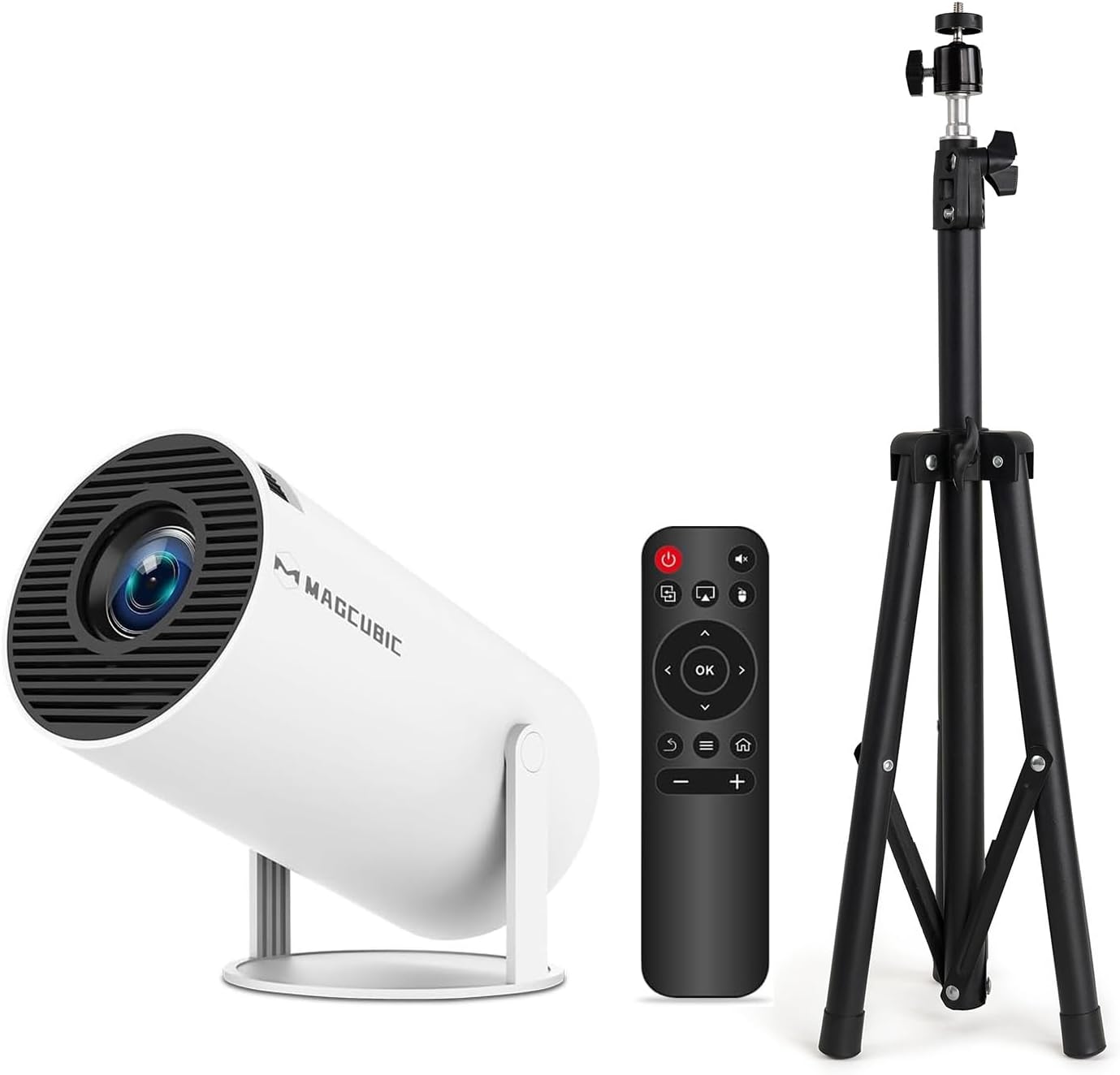
Magcubic's original HY300 is the swivel cylinder every later Pro, Pro+ and Ultra grew from: 720p, 200 ANSI lumens and a three-piece glass lens, now sold with built-in apps, without Android, or with a floor tripod.

  • PictureNative 1280 × 720, accepts 4K
  • Light200 ANSI lumens
  • Sound5W stereo speakers (3W on the no-Android build)
  • LensThree-piece glass, manual focus
  • Throw1.2–4.9 m from the wall
  • Light sourceRated for 50,000 hours
Perfect for
  • Watching on the bedroom ceiling from bed
  • A simple projector fed by a TV stick or a phone
  • A matching floor tripod in one box
Look past it if
  • Anyone expecting the Pro's updated system and remote
  • Bright living rooms: 200 lumens wants the lights off
  • Pictures near the 200-inch claim
Start the show
Colours & bundles

Three ways to own the first HY300

The original Magcubic HY300, where the swivel projector began

Before the Pro, the Pro+ and the Ultra, there was the Magcubic HY300. It set the pattern the whole family still follows: a white cylinder on a bracket that tips 180 degrees, a 720p panel and a short lens that fills a bedroom wall from a nightstand. Magcubic still makes it, and it remains the plainest way into the family.

The current apps build keeps the recipe and adds a few comforts:

  • Built-in apps over Wi-Fi 6, so films stream without a stick.
  • 5W stereo speakers with a HiFi tuning, loud enough for a bedroom or a small lounge.
  • Bluetooth 5.4 for headphones or a bigger speaker outdoors.
  • A three-piece glass lens rather than plastic optics.
  • HEVC Main 10 decoding for modern video files on a USB stick.

Light comes from an LED source rated at 200 ANSI lumens and 50,000 hours, with a quoted 10000:1 contrast ratio. The panel is native 1280 × 720 and accepts signals up to 4K. The original shares that panel and that brightness with Magcubic's later Pro models, so the picture itself is no step down.

Squaring the image works differently here. The apps build lists auto horizontal keystone plus manual corner correction, while most later HY300 models correct vertically on their own. Set it on a level surface facing the wall and the correction rarely has much to do.

Where the Pro moved on. Later Pro models added auto vertical keystone, newer Android builds and, on the Pro+, a voice air-mouse remote. The HY300 vs HY300 Pro comparison sets the two side by side.
Tech sheet

Lens, light and ports

SpecValue
ModelMagcubic HY300
DisplayLCD, native 1280 × 720
Signal inputUp to 4096 × 2160, scaled to 720p
Brightness200 ANSI lumens
Contrast10000:1 quoted
LensThree-piece glass
Throw distance1.2–4.9 m (3.9–16.1 ft)
Picture size40–200 in quoted; 130 in maximum on the no-Android build
FocusManual
KeystoneAuto horizontal plus manual corner correction; auto keystone on the no-Android build
Rotation180° swivel
Speaker5W stereo; 3W on the no-Android build
Wi-FiWi-Fi 6; dual-band 2.4 / 5 GHz
Bluetooth5.4; 5.0 on the no-Android build
PortsHDMI, USB
Video decodingHEVC Main 10
Light source life50,000 hours
MountingTabletop, ceiling, tripod
In the boxProjector, power adapter, remote, user manual
Warranty1-year manufacturer

A 200-inch claim against a 100-inch evening on the HY300

Magcubic quotes pictures from 40 to 200 inches, with the lens 1.2 to 4.9 m from the wall. The optics can reach that far, but 200 ANSI lumens cannot light a 200-inch wall with any punch. The comfortable range is far smaller.

PictureRoomHow it looks
40–60 inDesk or small bedroomBright, even with a lamp on
70–90 inBedroom wall or ceilingThe everyday size, curtains closed
100–120 inLounge after darkGood in a fully dark room
130–200 inGarden wall, moonless nightDim and soft; a novelty more than a habit

The no-Android build tops out at 130 inches, a more honest ceiling for this much light. Whichever build you pick, 80 to 100 inches is where colour and contrast hold together. At the short end of the throw range, 1.2 m from the wall, the lens already fills about 40 inches, so even a narrow bedroom has space for a proper picture.

Scenes the original HY300 handles well:

  • The ceiling from bed. Tip the head straight up from the nightstand and lie back; Magcubic designed the swivel with that in mind.
  • A football match with friends on a lounge wall after dark, sound from the stereo speakers.
  • A camping trip, projected onto a tent wall or a hung sheet once the sun is down.

Distance sets the size, and the HY300 screen size chart lists it inch by inch. Plain white paint with no sheen helps a modest lumen figure more than any setting, and the brightness guide covers the menu side.

On the HY300 shelf

Where it plays in the range

HY300 projector models by type, September 2026. Highlighted: Magcubic HY300 (original).

Two boxes of the original HY300: apps or no Android

The original HY300 comes in two quite different builds, and the difference shows the moment you switch it on. One streams on its own; the other is a screen waiting for a source. Check which you are getting before movie night.

  • Apps build. Built-in apps, Wi-Fi 6, 5W stereo speakers and Bluetooth 5.4, plus auto horizontal keystone. It arrives with the adapter, remote and user manual, backed by a one-year manufacturer warranty.
  • No-Android build. Magcubic states plainly that it has no Android system. It keeps dual-band Wi-Fi for phone casting, auto keystone and a 3W speaker, and its Bluetooth 5.0 sends sound out to speakers and headphones only; phones and laptops cannot pair to it.
  • Tripod bundle. The apps build with Magcubic's 47-inch foldable floor tripod in the same box.

For the no-Android build, the easy route to streaming is a TV stick in the HDMI port. It brings its own remote and apps, and the projector simply shows the picture. Keep both remotes on the sofa: the stick's for choosing films, the projector's for power, keystone and volume.

Phone casting also works on the no-Android build over its dual-band Wi-Fi, handy for holiday photos on the wall. The phone connection guide covers iPhone and Android step by step.

  1. Set the projector level, facing a matte wall.
  2. Plug in the adapter, then a stick or laptop over HDMI if you use one.
  3. Turn the focus ring until the corner text is sharp.
  4. Let the keystone square the picture, then fine-tune the corners by hand.
  5. On the apps build, join Wi-Fi and update the system before opening apps.
Remote note. Some replacement remotes for the HY300 Pro do not work with the original HY300. The HY300 remote guide lists which ones match.
Also showing

Three other projectors

1 Magcubic HY300 Pro (2026)
Smaller and newer Magcubic HY300 Pro (2026)
Magcubic's 2026 HY300 Pro is 30% smaller, corrects vertical keystone on its own and runs on an external power supply.
  • HY300 Pro
  • Wi-Fi + Bluetooth
  • Manual focus, auto keystone
Start the show
2 Magcubic HY300F Football Edition
Android 14 for match night Magcubic HY300F Football Edition
Magcubic's HY300F puts Android 14 on an Allwinner H726 inside a football-shaped body with a 5W speaker.
  • HY300F · Android 14
  • Wi-Fi 6 + Bluetooth 5.4
  • Manual focus, auto keystone
Start the show
3 Magcubic HY300 Pro+
Speaker base and voice Magcubic HY300 Pro+
Magcubic's HY300 Pro+ adds a 5W SoundBase, Wi-Fi 6 and a voice air-mouse remote.
  • HY300 Pro+
  • Wi-Fi 6 + Bluetooth 5.4
  • Manual focus, auto keystone
Start the show

The original HY300 or a Magcubic Pro one shelf higher

The original HY300 is the plain choice in Magcubic's range. Moving up one shelf buys a smaller body, a newer system or a speaker base, not a sharper picture. How much that counts rests on how the projector will be used.

ModelWhat it adds over the originalLight
Magcubic HY300 (original)The baseline: 5W stereo speakers, glass lens200 ANSI
Magcubic HY300 Pro (2026)Body 30% smaller, auto vertical keystone, external power supply200 ANSI
Magcubic HY300 Pro+5W SoundBase, voice air-mouse remote200 ANSI
Magcubic HY300FAndroid 14, Allwinner H726, football-shaped body200 ANSI
Magcubic HY300 UltraElectric focus, Android 14260 ANSI

Stay with the original if the projector will mostly show a TV stick or a phone, where the built-in system matters little. Step up to the 2026 Pro for travel, or to the Pro+ if the voice remote and speaker base appeal. Only the Ultra adds light.

One detail favours the original: its 5W stereo speakers live inside the body, so the projector stays a single slim cylinder that drops into a bag. The Pro+ and Ultra put their 5W speaker in a separate round base, which sounds fuller on a nightstand but makes a wider footprint. For picnics and campsites, the one-piece body packs more easily.

Checks before buying:

  • Which build. Apps build or no-Android build; the product names look alike.
  • Tripod. The bundle saves a separate order if the lens has to clear a sofa.
  • Mounting. Ceiling and tripod mounts both suit the original; the HY300 stands and mounts sort them.

Before the lights go down

Setup and screen questions

Does the original Magcubic HY300 run Android?

The apps build has built-in streaming apps. The no-Android build has no Android system, so it needs a TV stick or phone casting for streaming.

Can the original HY300 really show 200 inches?

Magcubic quotes 40 to 200 inches, but 200 ANSI lumens looks best at 80 to 100 inches in a dark room. The no-Android build is rated to 130 inches.

Is the original HY300 sharper than the HY300 Pro?

No, and no worse either. Both use a native 1280 × 720 panel and 200 ANSI lumens; the Pro changes the body, system and keystone.

What comes in the box with the Magcubic HY300?

The projector, power adapter, remote and user manual, with a one-year manufacturer warranty. The tripod bundle adds the 47-inch floor tripod.