
Best choice
Magcubic HY300 Pro+
Most bought HY300 last month
- HY300 Pro+
- Wi-Fi 6 + Bluetooth 5.4
- Manual focus, auto keystone
The HY300 mini projector is the size of a coffee tin and puts a film on any wall or ceiling. Start with the Pro+ and its speaker base, the compact 2026 Pro for trips, or the Pro that runs Android 14.
Ranked on last month's sales · September 2026


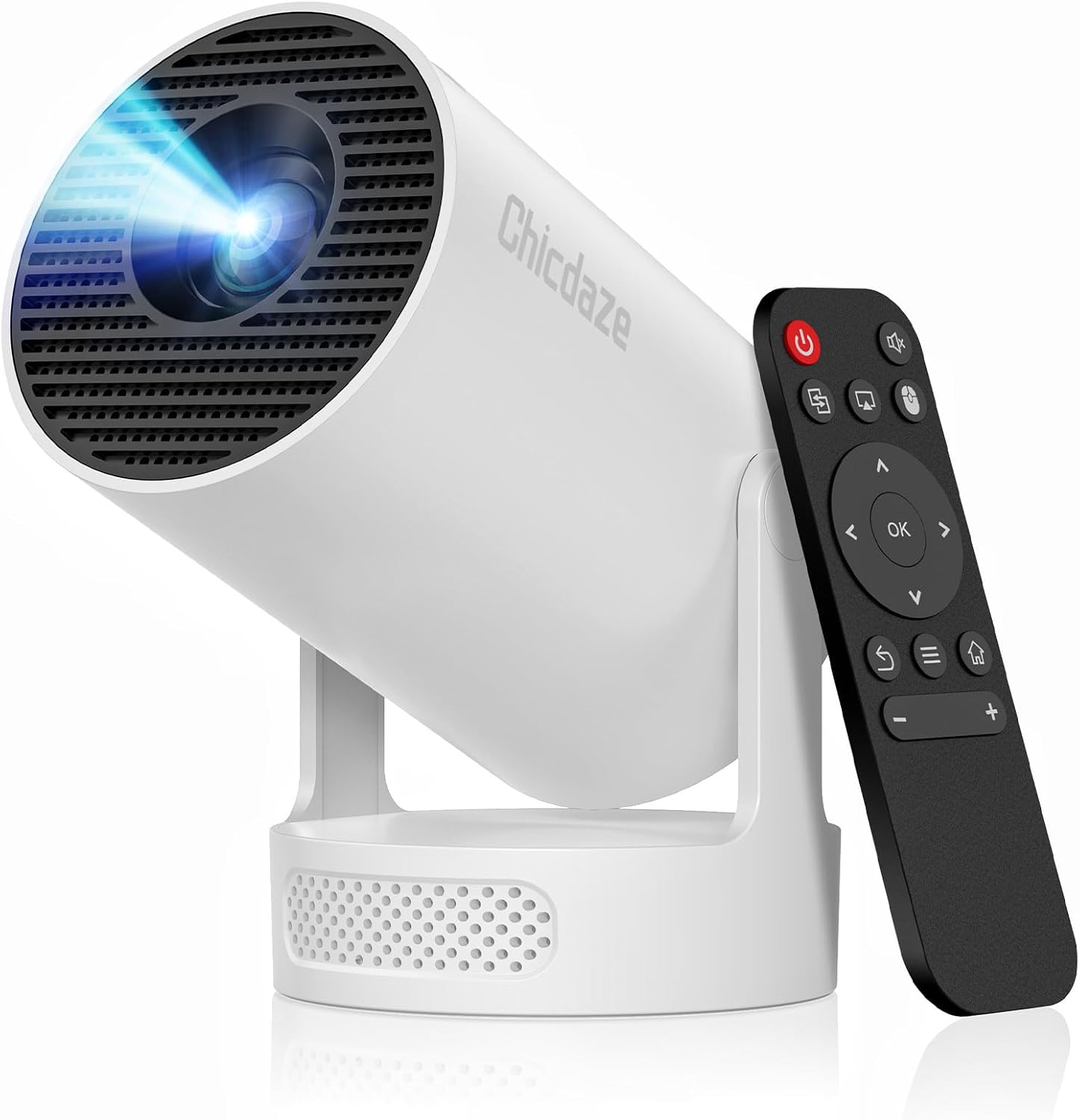
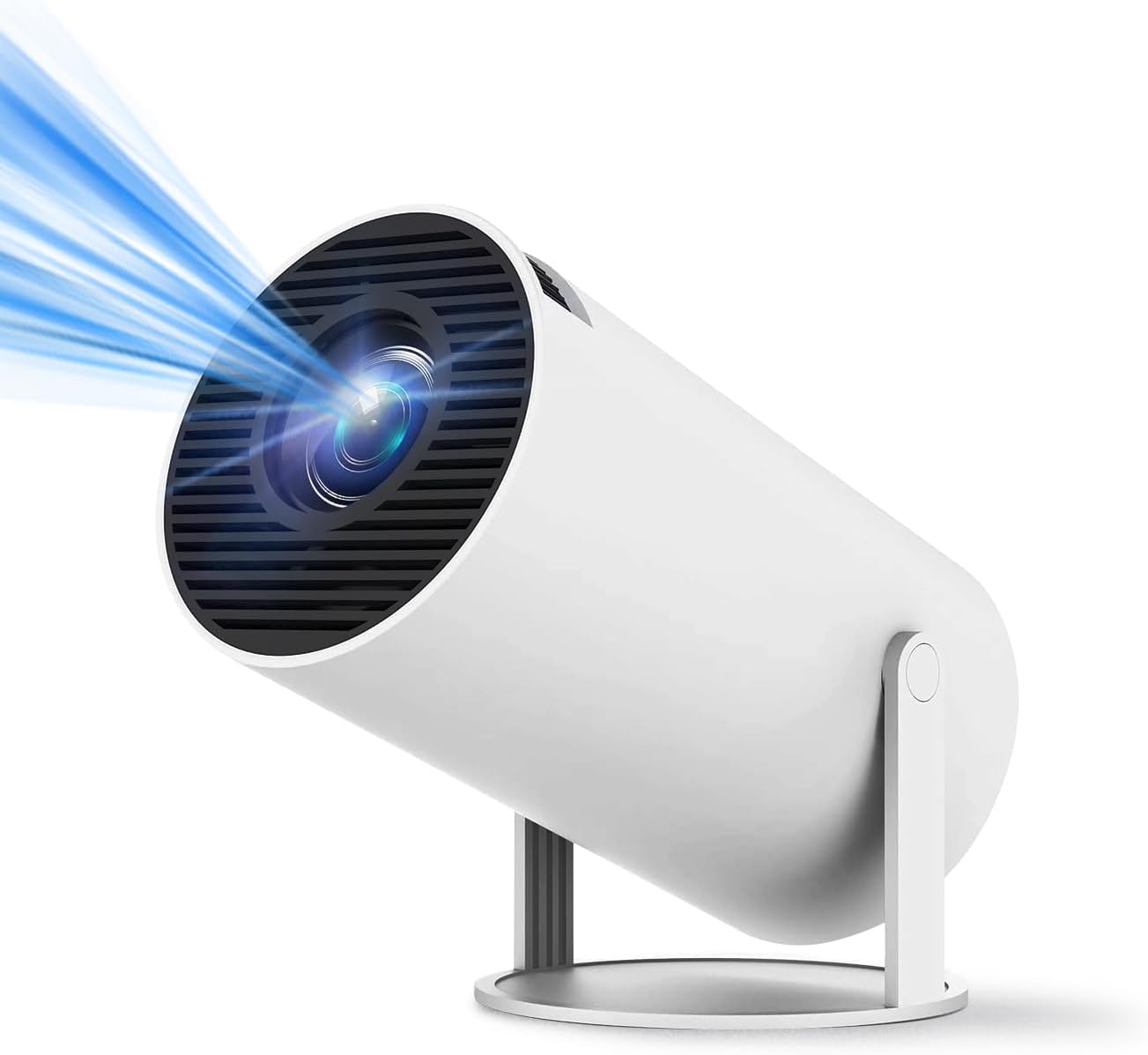
The HY300 projector is a small cylinder on a swivel stand: an LCD projector with its own streaming apps, Wi-Fi and a speaker, light enough to carry from the lounge to the bedroom in one hand.
Tilt the head up and the picture lands on the ceiling, so you can watch lying flat under the duvet. Point it at a bare wall and the same unit turns into a living-room screen. Most bodies weigh between 0.77 and 0.88 lb, and the 2026 Magcubic HY300 Pro projector is 30% smaller than the Pro before it.
Inside, the recipe barely changes from brand to brand. That shared core explains why so many names sit on near-identical bodies:
Three models cover most movie nights. The Magcubic HY300 Pro+ adds a 5W SoundBase speaker and an air-mouse remote with voice search. The 2026 HY300 Pro is the compact one for trips, with an external power supply that keeps the body cooler. The Alwtniet HY300 Pro runs Android 14 on an Allwinner H726 chip and throws up to 135 inches.
Why it suits your room: The most bought HY300: swivel it to the ceiling, and its 5W speaker base fills a bedroom with no extra kit.
Start with the surface the picture will land on, because the room decides more about an HY300 than any spec line does.
A bedroom ceiling rewards a projector you never touch after lights-out. A living-room wall gets watched by several people from further back, so sound and picture size matter more. Trips need low weight, a case and a plan for power.
| Where it plays | What helps most | Good starting point |
|---|---|---|
| Bedroom ceiling | Focus from the remote, 180° tilt | Magcubic HY300 Ultra |
| Bedroom wall | 5W speaker, auto keystone, apps built in | Magcubic HY300 Pro+ |
| Living room | Android 14 apps, 0.9:1 throw for 100 inches from about 2 m | Alwtniet HY300 Pro |
| Kids' room | Starry-sky scenes and a sleep timer | ClokoWe HY300 Pro+ |
| Trips and the garden | Small body, a case, a tripod | Magcubic HY300 Pro (2026) |
Focus is the second fork. Three kinds turn up across the family:
The last question is what travels with it. A projector that lives on a nightstand needs nothing extra. One headed for the backyard wants a tripod that lifts the lens above heads, and the Magcubic Pro+ bundle ships with a 47-inch one.
Streaming habits settle any tie. If Netflix matters, favour a model that names it among its built-in apps, such as the Xorytin HY300 Ultra. Others lean on YouTube and Prime Video, and a TV stick in the HDMI port fills the gap on those.
|
Magcubic HY300 Pro+ |
Magcubic HY300 Pro (2026) |
Alwtniet HY300 Pro |
 ClokoWe HY300 Pro+ |
 Thunrlge HY300 Pro |
 Xorytin HY300 Ultra | |
| Model | HY300 Pro+ | HY300 Pro | HY300 Pro | HY300 Pro+ | HY300 Pro | HY300 Ultra |
| System | — | — | Android 14 | — | Android 11 | — |
| Wi-Fi | Wi-Fi 6 | Wi-Fi | Wi-Fi 6 | Dual-band Wi-Fi | Wi-Fi 6 | Wi-Fi 6 |
| Bluetooth | Bluetooth 5.4 | Bluetooth | Bluetooth 5.4 | Bluetooth 5.2 | Bluetooth 5.0 | Bluetooth 5.4 |
| Focus | Manual focus | Manual focus | Manual focus | Auto focus | Manual focus | Auto focus |
| Keystone | Auto keystone | Auto keystone | Auto keystone | Auto keystone | Auto keystone | Auto keystone |
| Brightness | 200 ANSI lumens | — | 200 ANSI lumens | — | — | 180 ANSI lumens |
| Resolution | 720p native | 720p native | 720p native | 720p native | 720p native | 720p native |
| Start the show | Start the show | Start the show | Start the show | Start the show | Start the show |
Four names cover the whole family, and the gap between them is smaller than the badges suggest: nearly every one projects a native 1280 x 720 image, whatever the box says about 4K.
“4K support” means the projector accepts a 4K file or signal and scales it down to 720p. Your 4K films play without complaint, but the wall never shows 4K detail. A few units claim native 1080p, so read the native resolution line rather than the headline.
| Name | What it usually adds | Typical light |
|---|---|---|
| HY300 | The original swivel body, built-in apps, speaker, Bluetooth | 120–200 ANSI |
| HY300 Pro | Auto vertical keystone and Wi-Fi 6 on most, Android 11 to 14 | 160–300 ANSI |
| HY300 Pro+ | 5W SoundBase speaker, an air-mouse or voice remote on several | 160–260 ANSI |
| HY300 Ultra | Brighter LED, newer chip, electric or auto focus on several | 170–260 ANSI |
Brightness claims deserve a second look. ANSI lumens are measured to a fixed standard, and the family sits roughly between 120 and 300 of them. Some boxes print 3,000, 8,000 or even 15,000 “lumens”; those are not ANSI figures, and the picture is no brighter for them.
Nor does the name settle the software. Check these lines on any HY300 before choosing:
The finer numbers live in the HY300 specs rundown. The Pro+ vs Pro comparison and the Ultra vs Pro comparison weigh each step up, and the HY300 review sums up where the picture shines.

Focus runs from the remote, so a ceiling picture sharpens while you stay under the covers. It adds 260 ANSI lumens and Android 14 on an Allwinner H726 chip.
Start the show
Netflix, YouTube and Disney+ arrive preloaded, and an air-mouse remote with voice search moves through them. Wi-Fi 6 and Bluetooth 5.4 carry the stream and the sound.
Start the show
A ball-shaped HY300F on Android 14 with Wi-Fi 6 and a 5W speaker. It tilts 180° and throws 30 to 130 inches from a desk or a nightstand.
Start the show
Magcubic's HY300 Pro+ with a 47-inch tripod in the box, so the lens clears the sofa backs and the picture lands above everyone's heads.
Start the showSome HY300s earn their place through one party trick, and it pays to match that trick to the evenings you have in mind.
The Magcubic HY300F wraps the projector in a ball-shaped body of 6.5 x 5.5 x 6.8 inches. It runs Android 14 on an Allwinner H726 with 1GB of RAM and 8GB of storage, and carries a 5W speaker. From 1.96 to 8.5 ft away it throws a picture of 30 to 130 inches, and it handles rear projection too.
The ClokoWe HY300 Pro+ has a starry-sky mode with nine animated scenes, started from one button on the remote, plus a sleep timer. Kids get a moving night sky on the ceiling, and the timer ends the show for them. It also focuses by itself, which helps when small hands knock it.
The Magcubic HY300 Ultra focuses electrically from the remote, reaches 260 ANSI lumens and runs Android 14. Pointed at the ceiling, it needs no trip to the lens after a nudge. A 5W SoundBase speaker sits in the stand, so a bedside film needs no extra box on the nightstand.
A garden screening needs height, a pale surface and power within reach. Pack these:
For a bedroom where streaming comes first, the Xorytin HY300 Ultra arrives with Netflix, YouTube and Disney+ preloaded and an air-mouse remote with voice search.
The HY300 name is best known from Magcubic, whose HY300, Pro, Pro+ and Ultra set the pattern, and the swivel design now ships under more than twenty brand names, from Alwtniet and ClokoWe to SKUOU, Chicdaze and Xorytin.
Most of them share the look, the 180° stand and the 720p panel. What changes is the chip, the Android version, the remote and how honestly the box describes brightness. A badge tells you little; the spec lines tell you plenty.
Some boxes contradict themselves, so read slowly. Watch for these mismatches:
Around the projectors, a small world of add-ons has grown up to fit the shape. The gear falls into five kinds:
Magcubic's own units have one quiet advantage: their accessories name the exact models they fit, which makes a lost remote or adapter simple to replace. The Magcubic HY300 overview maps that range, and the HY300 vs HY300 Pro comparison shows what changed between generations.
62 HY300 projectors, remotes, mounts, tripods and cases, grouped by model. Open any one for its lens, light and port details.






A projector that lives on a nightstand needs nothing more, but a ceiling spot, a garden night or a weekend away each calls for one extra piece of kit.
| Job | Gear | Fit note |
|---|---|---|
| Ceiling over the bed | Screw-in wall and ceiling bracket | Base 0.24–0.35 in thick, under 4.7 in wide, under 2.65 lb |
| Rented flat, no drilling | Chanvoo drill-free aluminium mount | Give the 3M VHB tape 24 hours before loading |
| Garden or above-the-sofa picture | Magcubic 47-inch tripod | 19 to 47 in tall, 1/4-inch screw, holds up to 11 lb |
| Weekends away | Hard EVA case or padded barrel bag | Compare the inner size with your projector |
| Lost remote | IR replacement or voice remote | Match the model name on the base |
Mount first if the ceiling is the plan. The Tellegloww and Boldever brackets screw into the wall and carry up to 1,200 g. Their plastic anchors suit concrete and brick, while wood takes the supplied nails. The Chanvoo mount swaps drilling for tape or M4 screws and swivels through 180°.
Remotes are the easiest part to get wrong. Keep three rules in mind:
Power is the quiet trap. The Magcubic Pro adapter fits the HY300 Pro, Pro+, HY300X, HY300 Max and HY300F, while the Ultra uses a separate one shared with the HY310 and HY320 models. Both accept 100–240V, so a plug adapter covers a trip abroad.
Every stand, bracket and bag with its fit notes is in the HY300 accessories rundown. The HY300 remote help covers pairing and lost-remote fixes, and the remote app setup turns a phone into a spare.
The first screening goes smoothly when the jobs happen in order: place it, power it, update it, connect it, then tune the picture.
| Picture (diagonal, 16:9) | Lens to wall at 0.9:1 |
|---|---|
| 40 in | about 0.8 m / 2.6 ft |
| 60 in | about 1.2 m / 3.9 ft |
| 80 in | about 1.6 m / 5.2 ft |
| 100 in | about 2.0 m / 6.5 ft |
| 130 in | about 2.6 m / 8.5 ft |
Figures shift a little between models, and digital zoom shrinks the picture without moving the lens. Size-by-size distances are in the HY300 screen size chart.
Phones mirror over the same Wi-Fi network, yet apps with copy protection often refuse to cast. For those, plug a TV stick or a laptop into HDMI. The phone connection steps cover iPhone and Android, and the brightness settings squeeze more out of a dim picture.
Give the vents some air. A projector wedged between pillows runs hot, and heat is a common reason small projectors dim or switch themselves off mid-film. The HY300 manual in plain English explains the buttons on the body and the menus.
No. It plays 4K and 1080p sources, but nearly every model has a native 1280 x 720 panel, so the wall shows a 720p picture. From sofa distance on 60 to 100 inches that looks fine for films and cartoons.
Only faintly. With roughly 160 to 260 ANSI lumens it wants drawn curtains or evening darkness; a lamp behind the viewers is fine, sunlight on the wall is not.
Some models do. The Xorytin HY300 Ultra and the Thunrlge HY300 Pro list Netflix among their built-in apps, while many others carry YouTube and Prime Video. A TV stick in the HDMI port adds Netflix to any of them.
On Magcubic's units the Pro+ adds a 5W SoundBase speaker and an air-mouse remote with voice search, while the 2026 Pro is the smaller body for travel. Other brands use the names more loosely, so compare the speaker, remote and Wi-Fi lines.
About 2 m, or 6.5 ft, on models with a 0.9:1 throw ratio. Closer gives a smaller picture, and digital zoom shrinks it further.
No. Infrared replacements list the brands and models they fit, and the most common one excludes Magcubic's original HY300. Match the model name printed on the base before choosing.
For most bedrooms, Magcubic's HY300 Pro+: a 5W SoundBase speaker, an air-mouse voice remote, Wi-Fi 6 plus Bluetooth 5.4 around the family's native 720p panel. Travellers do better with the smaller 2026 Pro, and ceiling watchers with the electric-focus Ultra.
Mini projectors that share a shelf with the HY300 without being one: Aurzen's Roku TV models, the AKIYO O1 Pro, and Magcubic's own HY310, HY320 Pro and HY350 Max, several of them with native 1080p.


